How do I set up Service and Store Locations?
This article provides a walkthrough for setting up Company Information (for example, full address, website) and defining Service and Store Locations (For example, name, address, phone number, opening hours).

Written by Annukka Matilainen
Updated at May 19th, 2026
Table of Contents
Fixably allows you to manage all of your repairs and inventory by location, whether you have a single or multiple locations. To create a new location, navigate to System Settings and then Locations.
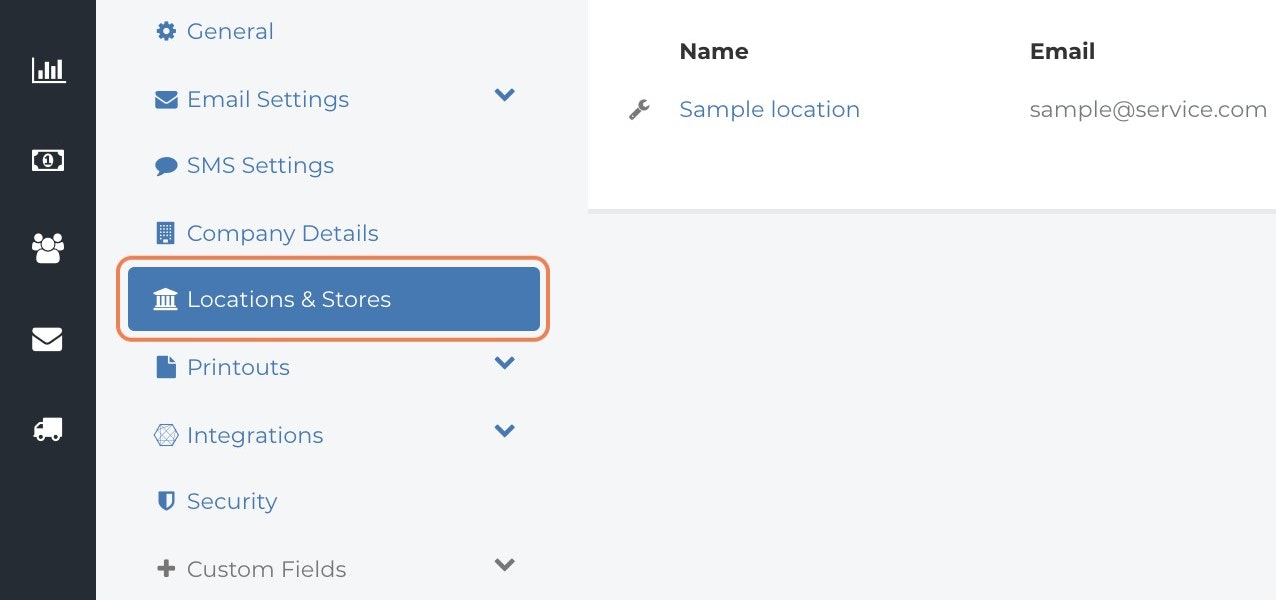
To add a new Service Location or Store, click on Create button at the top right-hand-side corner.
You can select one of the options:
- Service Location - Where repairs physically take place. Service locations can be different from store locations and may not always be accessible to the public.
-
Store - Customers can come in and drop off their devices for diagnostics and repair. Store Location is not always the same as Service Location.
Premium Plan, Enterprise Plan, and Fixably Depot Customers
Store locations are disabled by default. Please contact your Customer Value Manager for more details, if you would like to use this feature.

Service Location
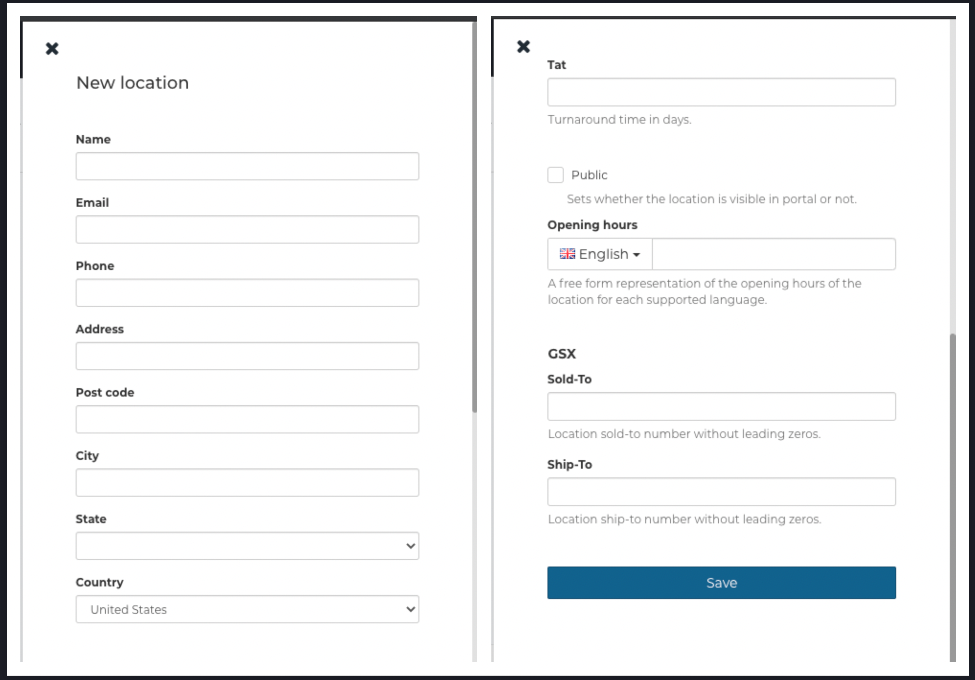
- Name - Each location should have an easily distinguishable unique name. This is the location name used by both the company and the customer's in the customer portal
- email - Administrators can add a new email for each location. If added, this will override what is in general email settings. If left empty, default email settings will apply.
- Tat - Average turnaround time (for customer portal) - you can specify the average turnaround in days for customers to see.
- Public - Some service providers might have a central repair centre that is not open to the public and should not be visible in the customer portal.
- Opening Hours - This field is a free-form representation of the location's opening hours (example: Mon-Fri: 9.00-17.00, Sat-Sun: Closed).
- GSX - if GSX integrated, enter the Sold-To and Ship-To numbers here
Customers using the Apple GSX Integration, Fixably Paperless, or a payment processor integration will find additional location configuration options specific to their integrations in this panel.
Store
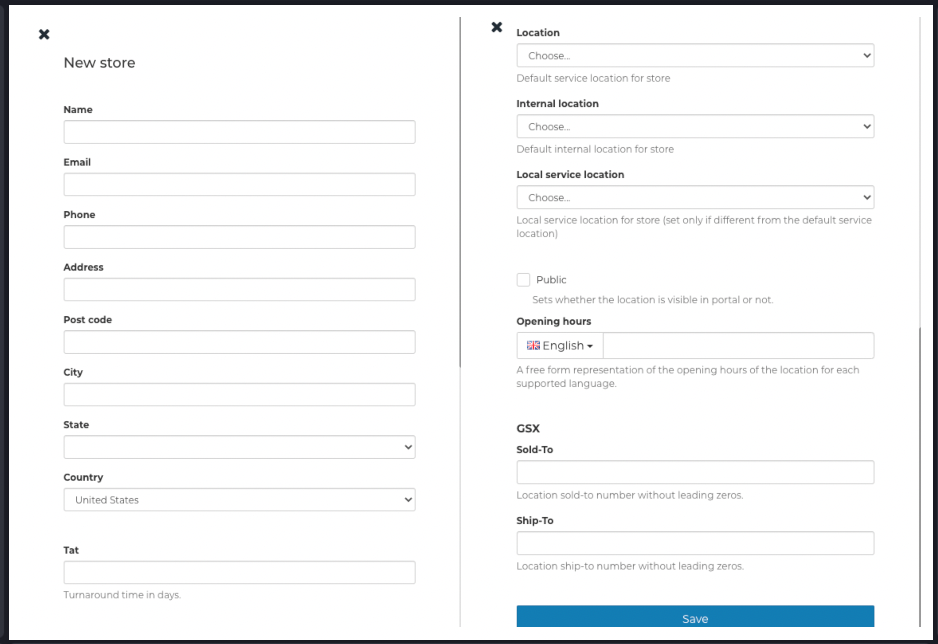
- Location - Select one of the pre-defined locations from the drop-down menu as the default store location
- Internal location - Choose one from In service, In-Store or In transit as the default internal location for Store
- Local service location - Local service location for the Store (set only if different from the default service location)