How do I add an IMEI number to a Product after it has been received to a Stock?
This article is a step-by-step walk-through to help Technicians efficiently use Fixably to add an IMEI number to a product that has already been received.

Written by Annukka Matilainen
Updated at May 19th, 2026
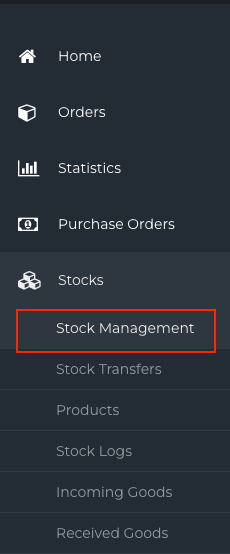
- From the Navigation Sidebar, click Stocks and then Stock Management.
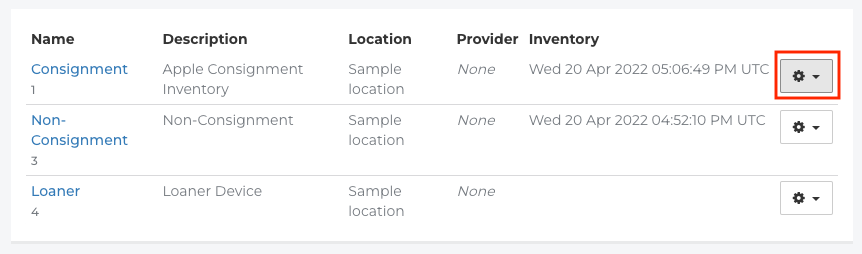
- Find the Stock where the Product has been received and click the Gear menu.
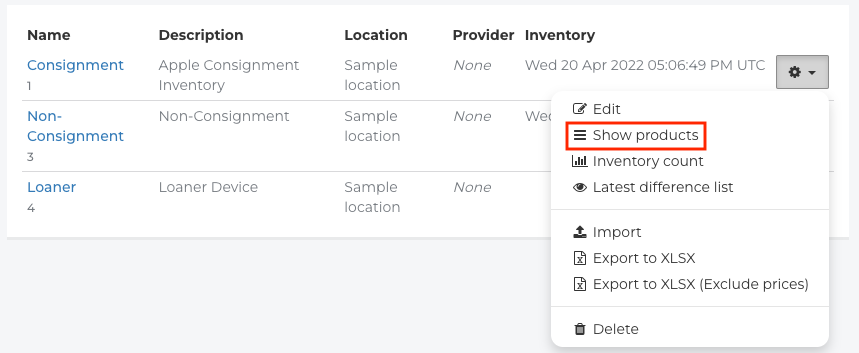
- Click Show Products.
- Use the Search field to lookup the Product.

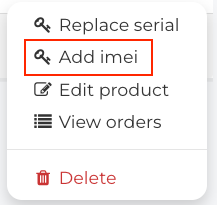
- Find the Product you are adding the IMEI to and click the Gear menu.

- Click Add IMEI.
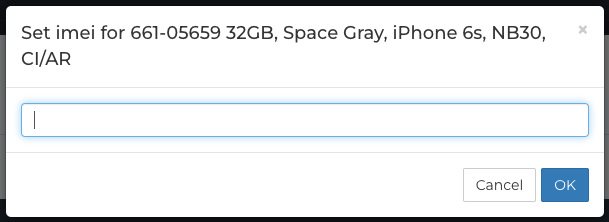
- Enter the IMEI into the field that appears.
- A notification will appear indicating that the IMEI has been successfully added to the Product.
